Looking up an address
1. The Secure item entry form offers two ways of completing an item's delivery address.
By typing in the postcode and asking DX Despatch to look up the address for you
By typing in the full address yourself
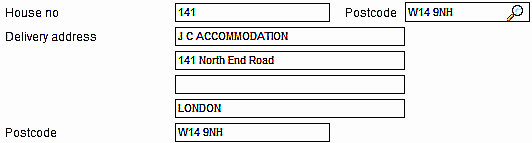
2. The Secure item entry form has two postcode entry points. One is at the top of the address area of the form and contains a small icon of a magnifying glass. Use this if you want DX Despatch to look up the address for you. The second is at the bottom of the address area. Use this if you are going to type in the full address yourself.
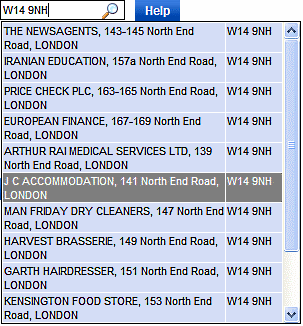
3. If you want DX Despatch to look up the address for you and you have the postcode of the address to hand, type it into the Postcode field at the top of the address area. Clicking the magnifying glass icon will display a list of addresses that match the postcode.
4. Click on the address that matches the item's delivery address. DX Despatch will auto-complete the address on the form for you.
5. If you know the house number in addition to the postcode, you can type it into the House no field before typing the postcode into the Postcode field. DX Despatch will limit its search to addresses that match both the house number and postcode. It will be usual for only one matching address to be found. In this case, DX Despatch will auto-complete the address for you without first displaying a list.